
AI resume builder and CV maker, starting with your experience
Turn your work history into a resume you can stand behind. Import a PDF or enter your experience in Job Grinder, use AI to improve the wording, then review the result and export a clean PDF. Keep one base profile ready for your next application.
Built for US job applications, with English resume examples. AI actions use credits; the current plan and action cost are shown before generation.
Check current plans and pricingFrom your career history to a finished resume
Collect your career information
Upload an existing PDF or enter your details manually. Check that every role, date, skill, and education entry was captured correctly. Your Base CV is the master profile for future resumes.
Improve and review the draft
Give the AI a clear instruction, such as making a summary more concise. Review each changed claim against your experience. Keep achievements and numbers only when you can support them.
Choose a template and export
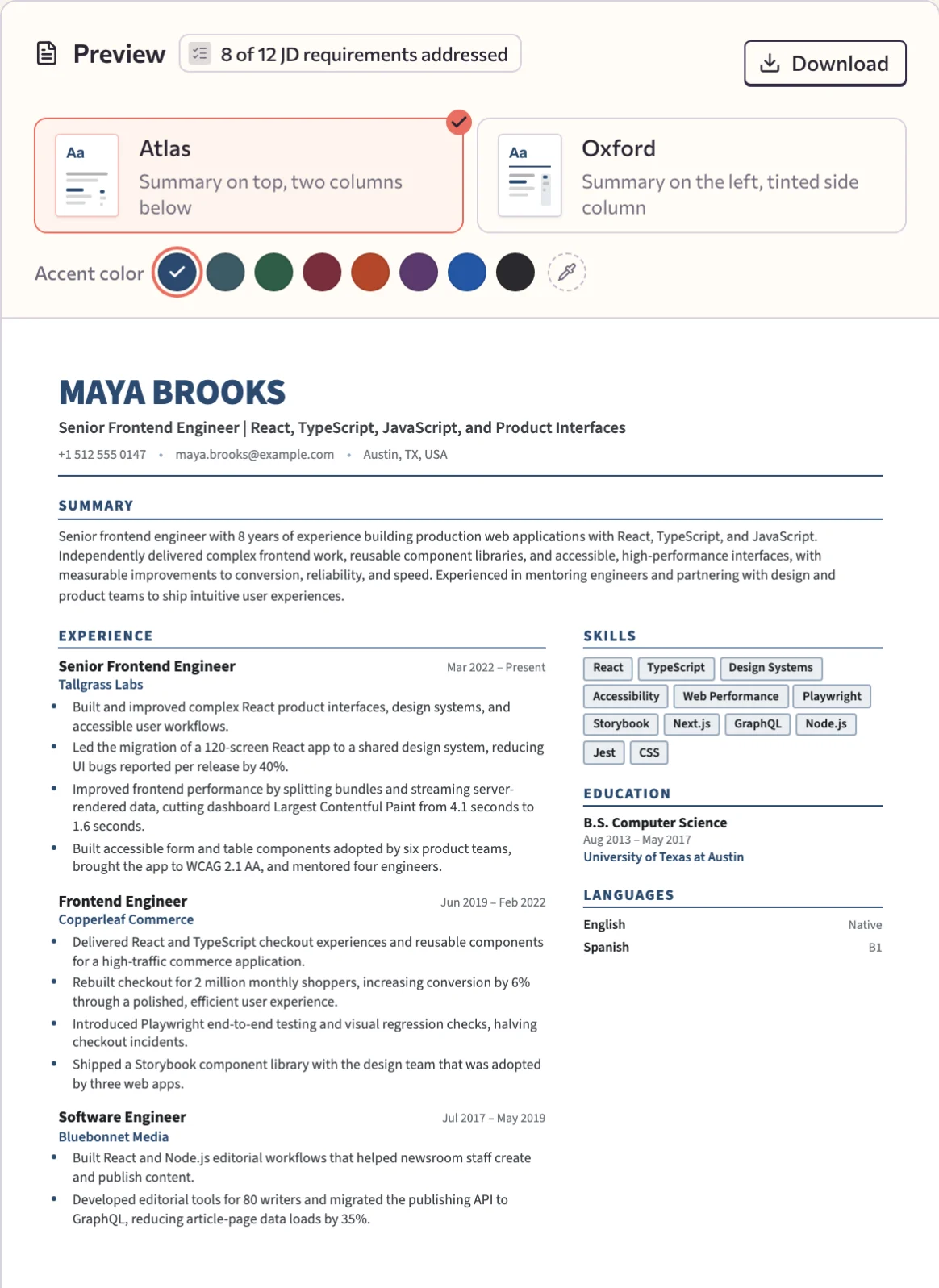
Choose Atlas or Oxford, adjust the accent color, and generate your PDF. Read the exported document before attaching it to an application, then tailor a copy when you have a specific role in mind.
Frequently asked questions
How do I create a resume with AI?
Create an account and enter your experience, education, and skills in your Base CV, or import an existing PDF. Review the imported details, ask AI to improve the wording, choose a template, and generate a PDF. You provide the facts and approve the result.
Can I start without an existing resume?
Yes. You can enter your work history, education, skills, and contact details yourself. AI can help improve the draft once you have supplied that information; it should not invent a career history for you.
Can I use Job Grinder as an AI CV maker?
You can use the editor as an AI CV maker for job applications. In Job Grinder, “Base CV” means the master profile your resumes start from. The US-focused examples use a resume format; a long academic CV may need sections beyond the current templates.
Which resume templates and file formats are available?
The app includes Atlas and Oxford resume templates and PDF export. After exporting, check the layout, dates, contact details, and the employer’s file-format requirements. A template cannot guarantee that every applicant tracking system will interpret a document the same way.
What is the difference between creating and tailoring a resume?
A base resume records your experience for reuse. Tailoring uses that record and a specific job description to prepare a more relevant version. Job Grinder keeps the source and generated draft available for comparison so you can review changed claims.
Is the AI resume builder free?
You can start with a free account. AI actions have credit costs and access limits shown in the product; check the current plan details before generating. Neither AI wording nor a resume template guarantees an interview or a job offer.