
AI job apply, with you approving every submission
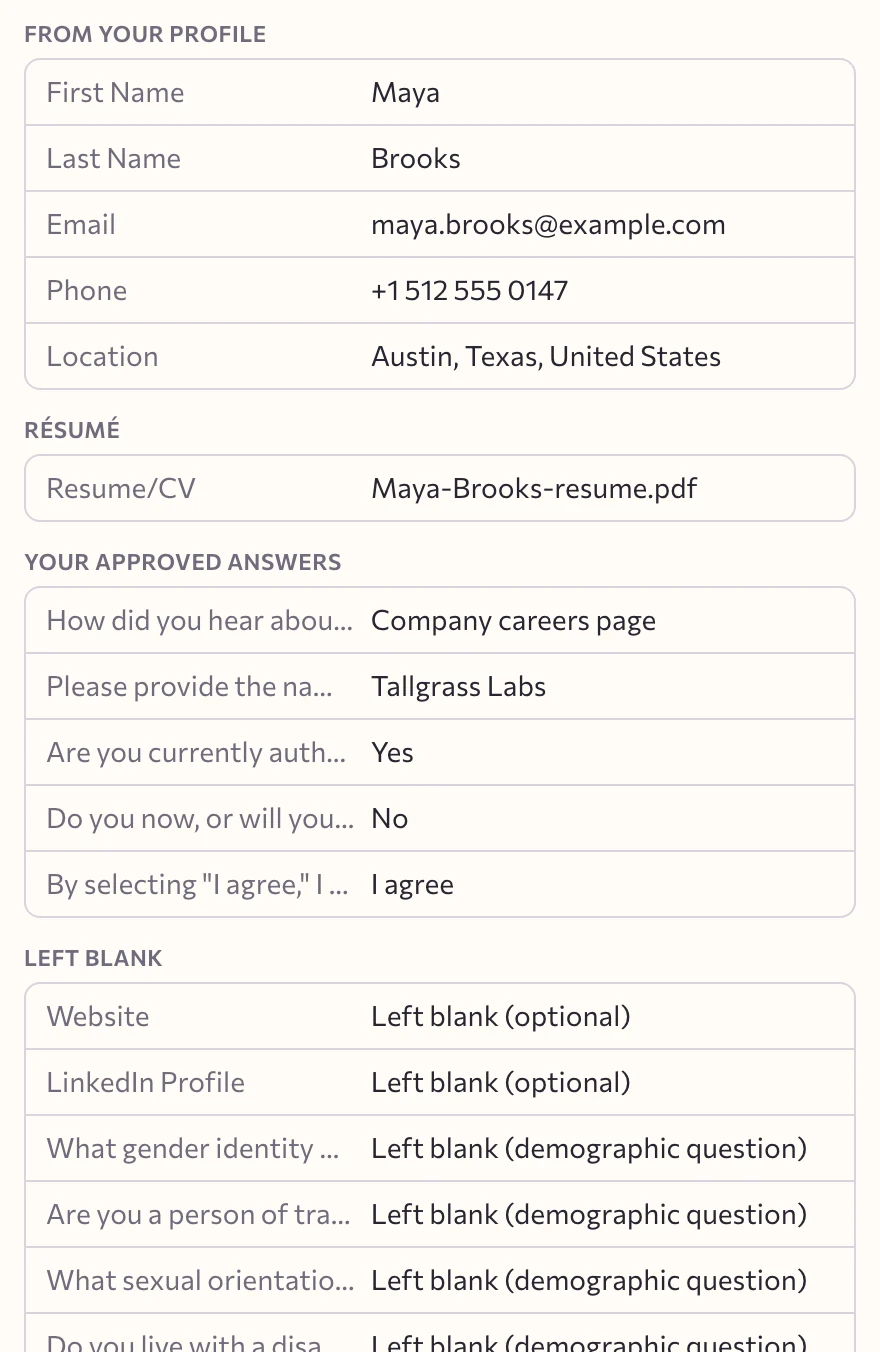
Repeatedly entering your work history takes time. Job Grinder’s auto-apply assistant opens the employer’s form, fills it from your profile and approved answers, and attaches your tailored resume. It stops for your review before submitting.
Invitation-only beta. Account creation does not grant auto-apply access. Supported forms, plan requirements, and credit costs are shown before you start a run.
Check current plans and pricingHow automatic job application assistance works
Choose the job and resume
Choose a discovered role or bring a posting link. Check the job requirements, confirm your profile details, and prepare the resume you want to use.
Let the assistant prepare the form
Invited users can start a supported auto-apply run after checking its access requirements and cost. Follow the browser activity, answer missing questions, or take control when needed.
Review, approve, and track the outcome
Check the full review summary, correct details, and approve the final submission. Job Grinder records the result and keeps confirmation evidence when available.
Frequently asked questions
What is AI job apply?
AI job apply uses an assistant to prepare an employer’s application form from your profile, resume, and answers. Job Grinder opens the form, fills supported fields, and pauses before submission so you can review and approve it.
Can I automatically apply to jobs without reviewing them?
Job Grinder automates parts of the application process, but it requires approval before submitting each prepared form. It does not offer unattended mass applications. You choose the role and remain responsible for the information sent.
Can every Job Grinder user access auto-apply?
Auto-apply is an invitation-only beta in production. Creating an account or buying a plan does not itself grant an invitation. Some agent workflows also require a paid plan. You can still use the available resume and tracking features and submit applications yourself.
Does automatic job apply work on every job board?
Support varies by the employer’s application form. Job Grinder shows a support status and the credit price before a run. Login requirements, unusual fields, or a changed form can require you to take over or finish manually; universal coverage is not promised.
How does the AI answer application questions?
The assistant can reuse answers you approved and use information in your profile. If a required answer is missing, it asks you. The review distinguishes information inferred from your profile so you can check it before submission.
How is AI job apply different from AI job search?
Job discovery finds opportunities. Resume tailoring prepares a document for a particular role. Auto-apply works on the employer’s application form after you choose a role, and pauses for your approval before sending it.